Most online file converters ask for the same uncomfortable trade: upload the file first, trust the remote server later.
That may feel normal because the web has trained people to accept it. But it is not always necessary. A modern browser can do a surprising amount of useful file work locally: create ZIP archives, extract ZIP files, compress images, convert image formats, transform CSV and JSON, work with spreadsheets, merge PDFs, split PDFs, and convert certain document formats into cleaner outputs.
The better question is no longer, "Which cloud converter should I upload this to?"
It is: why should the file leave the device at all?
A private browser-based file converter changes the trust model. The website provides the tool. The user's browser performs the conversion. The file stays on the user's device.
Files stay on your device. Conversion runs locally in your browser.
The Problem With Traditional Online File Converters
File converters are useful because people constantly need to move between formats. A designer needs WebP images. A business owner needs a PDF merged. A developer needs CSV data converted to JSON. A customer needs a ZIP archive unpacked. A team member needs text extracted from a DOCX file.
The old answer was simple: find a converter site, upload the file, wait for the server, download the result.
That flow works, but it also creates risk and doubt. When a file is uploaded to a remote converter, the user has to trust that the file is not retained longer than claimed, that the service is not scanning the contents, that the server is properly secured, and that the download link is not exposed to the wrong person.
For harmless files, that may not matter much. For contracts, invoices, client exports, financial spreadsheets, internal PDFs, identity documents, product images, unpublished creative work, or business data, it matters immediately.
A private file tool should not make people wonder where their file went.
Local Conversion Is a Different Trust Model
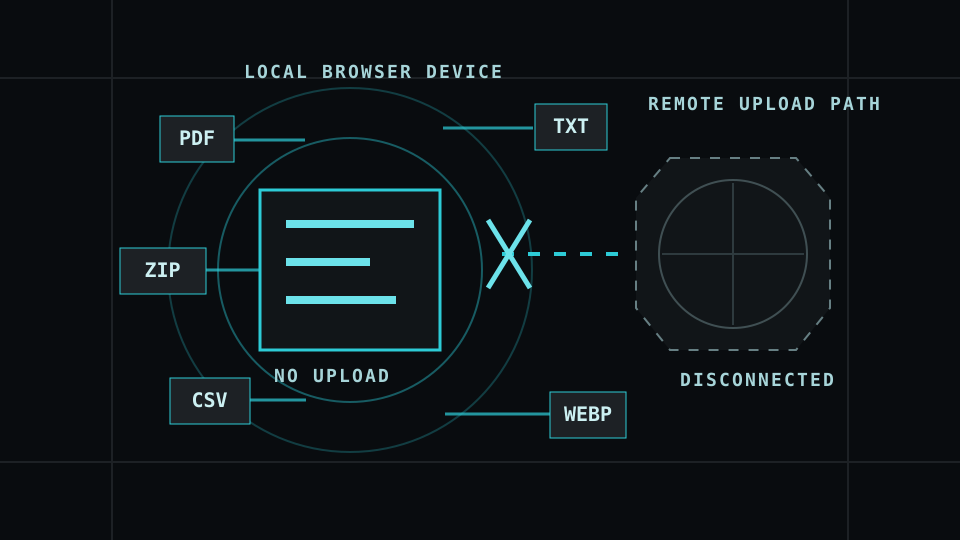
A local browser file converter works differently. The page loads the application code, but the file processing happens inside the browser. The user selects a file from their device. The browser reads that file locally. The conversion logic runs locally. The result is created locally. The user downloads the converted file.
For supported conversions, there is no upload step.
That distinction is the product. It is not only a technical implementation detail. It is the reason people can trust the tool faster. The user does not need to believe a vague promise about temporary server deletion if the file was never sent to the server in the first place.
Why This Belongs on a Hosting Website
A hosting company is already part of a customer's digital infrastructure. It provides the place where websites, applications, domains, email, and business systems live. That makes file tools a natural extension of the platform.
A local file converter provides immediate utility. People do not have to become customers before the tool is useful. They can convert an image, package a ZIP, split a PDF, or transform a CSV file right away.
It also demonstrates technical taste. A local-first converter says the platform understands browser capability, privacy, performance, and the difference between useful infrastructure and unnecessary dependency.
Most importantly, it builds trust before the sale. A person who uses a private, no-upload tool gets a small proof of the company's values before they ever choose a hosting plan.
What Browsers Can Already Do Well
The browser is not a toy runtime anymore. For many file tasks, it is good enough to be the actual processing environment.
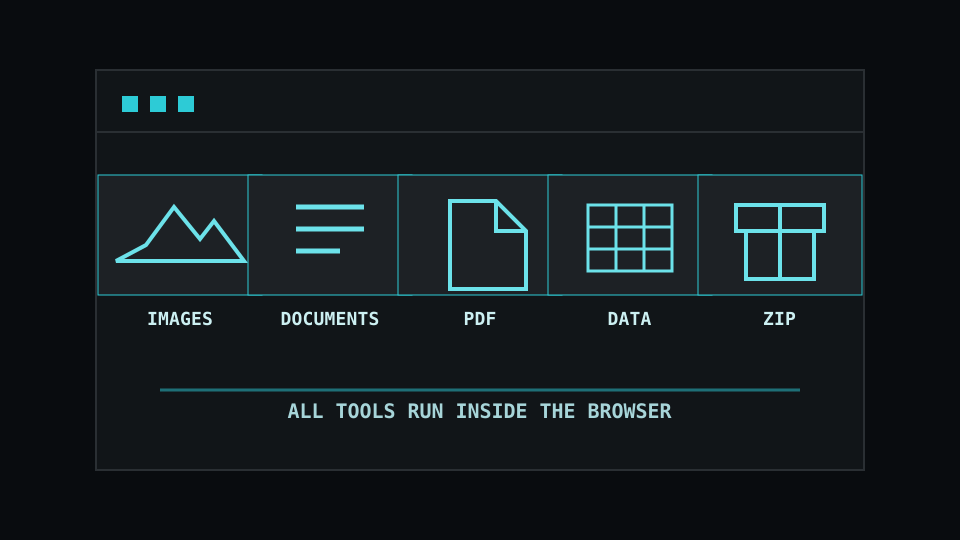
Local tools can reliably support useful categories such as ZIP creation and extraction, PNG, JPG and WebP conversion, image compression and resizing, images to PDF, PDF merge and split, CSV to JSON, JSON to CSV, CSV to XLSX, XLSX to CSV, TXT to PDF, Markdown to HTML, and DOCX to TXT or HTML depending on the parser used.
Those are not obscure edge cases. They are everyday file jobs. They are exactly the kind of small operational tasks people search for, use once, bookmark, and return to.
A local converter does not need to beat every desktop application. It needs to solve common file work quickly, privately, and honestly.
Honest Limits Make the Tool More Trustworthy
The strongest local converter is not the one that claims to convert every file into every other file. The strongest local converter is the one that clearly shows what the browser can do, what is best effort, and what is not available locally yet.
That matters especially with document formats. DOCX is modern, structured and more practical to parse in the browser. A local tool can extract text, generate clean HTML, and create a best-effort PDF. But legacy .doc files are a different problem. They use an older binary Microsoft Word format and should not be treated as if they are the same as DOCX.
PDF conversion has similar limits. Merging and splitting PDFs can work well locally. Extracting text may be possible, but it can be imperfect. Converting a complex PDF back into a perfect editable Word document is a much harder problem.
If a conversion is not reliable locally, the tool should not fake it. It should show a clear message: This conversion is not available locally in this browser yet. Your file has not been uploaded.

No Upload Should Be Visible in the Interface
Privacy should not only exist in the policy page. It should appear inside the product itself. Good interface copy makes the trust model obvious at every stage.
- Before selection: files are processed locally in your browser.
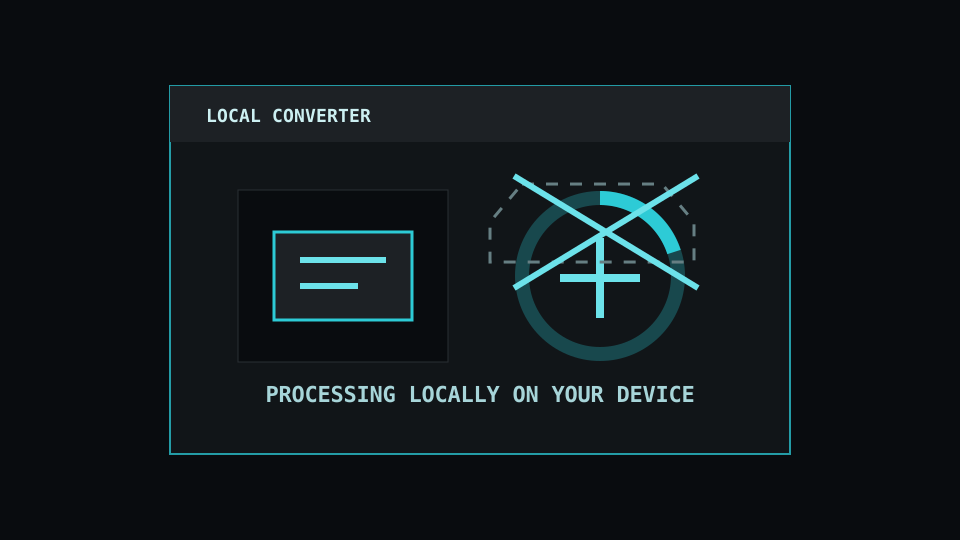
- During conversion: processing locally on your device. No upload in progress.
- After conversion: conversion complete. Download your file.
- When unsupported: this conversion is not available locally yet. Your file has not been uploaded.
This kind of microcopy reduces doubt because it explains what is happening while the user is doing it. The user should never have to inspect network traffic to understand whether the product respects their files.
Local Does Not Mean Weak
There is sometimes an assumption that local browser tools must be lightweight, limited, or less serious. That assumption is outdated.
Cloud services still matter for certain heavy workloads: huge video files, OCR at scale, complex document layout conversion, batch processing for enterprise workflows, or formats that require large native engines. But using the cloud for every file operation is often unnecessary.
For everyday conversions, the browser can be the better place to do the work because it reduces exposure, removes server queues, and keeps control with the user.
Built Around What People Actually Search For
This tool gives us a strong search footprint because people do not usually search for a “file converter” in a general way. They search for the exact thing they need in the moment: WebP to PNG, PNG to JPG, merge PDF without upload, split PDF locally, CSV to JSON, XLSX to CSV, create ZIP online, unzip files, DOCX to TXT, or compress images without sending them to the cloud.
Those searches are direct, useful, and high-intent. Each one can be served by a focused page that opens into the same local conversion engine. The page should not just repeat keywords; it should clearly explain what the tool does, which file types are supported, what happens locally in the browser, where the limits are, and why keeping the file on the user’s device is the safer way to handle the task.

Why This Feels Better for Everyday Use
People need useful tools, but they also need fewer reasons to hand over their files. A file converter is not just a convenience when the files being handled include personal documents, photos, screenshots, PDFs, school work, forms, invoices, application files, downloads, archives, and website assets.
Those files may not always be highly sensitive, but they still belong to the person using them. They should not have to be uploaded to a random converter site just to change a format, compress an image, extract a ZIP file, or turn a document into something easier to share.
A local browser converter gives people a cleaner way to handle everyday file tasks. The tool loads from the website, but the work happens on the user’s own device. That makes the experience feel faster, safer, and more respectful: no upload queue, no mystery copy sitting somewhere else, and no need to wonder what happened to the file after the conversion finished.

The Better File Converter Promise
The best promise is not "we convert everything." The better promise is: convert every file your browser can handle, privately, locally, on your device.
That is cleaner, stronger, and more defensible. It leaves room to expand. New conversion engines can be added. More file types can become supported. Heavy features can be labelled experimental before they become stable. The tool can grow without betraying the original trust model.

Try private browser-based conversion on ANOMONIX:Stack
Open the Local File Converter to convert supported files locally in your browser with no cloud upload step.
Open Local File ConverterConclusion: Useful Tools Should Not Require File Surrender
File conversion is a basic digital task. It should not automatically require sending private files to someone else's cloud.
For many common formats, the browser is capable enough to do the work locally. That creates a better user experience and a better privacy model. The site delivers the tool. The user's device performs the conversion. The file stays local.
A private file converter on a hosting website is not just a convenience feature. It is a trust signal. It shows that the platform understands modern web capability, practical privacy, and the value of reducing unnecessary exposure.
Frequently Asked Questions
Is a browser-based file converter private?
A browser-based file converter can be private when supported conversions run locally on the user's device and the file is not uploaded to a remote server for processing.
Are files uploaded when using a local file converter?
For supported local conversions, files do not need to be uploaded. The browser reads and processes the selected files on the user's own device.
What files can be converted locally in the browser?
Common local conversions can include ZIP creation and extraction, image conversion, image compression, CSV and JSON conversion, XLSX conversion, PDF merge and split, TXT to PDF, and some DOCX text or HTML extraction.
Can DOCX files be converted locally?
DOCX files can often be converted locally into text or HTML using browser-side parsing. DOCX to PDF can be offered as a best-effort conversion, but complex formatting may not match desktop Word or PDF tools exactly.
Can old DOC files be converted locally?
Legacy .doc files are harder because they use an older binary format. A local converter should only offer DOC conversion if it includes a genuine local parser or conversion engine.
Can PDFs be merged without uploading them?
Yes. PDF merge and split tools can run locally in the browser when the tool uses a browser-side PDF library. That means the files can remain on the user's device.
Does local conversion work on mobile?
Many local file tools work on mobile browsers, especially ZIP, image, PDF and text-based tools. Very large files may be limited by phone or tablet memory.
Is local conversion better than cloud conversion?
For sensitive everyday files, local conversion can reduce exposure because the file does not have to leave the device. Cloud conversion may still be useful for very large files, specialist formats, or heavy processing jobs.